Database Editors
Two GUI applications ship with dsviper-tools — they target different
backends and play different roles:
Tool |
Purpose |
Backend |
Family |
|---|---|---|---|
cdbe.py |
Commit Database Editor |
|
Commit-based application |
dbe.py |
Database Editor (standard CRUD) |
|
Plain CRUD inspector |
Both are built with PySide6 and share components from
dsviper-components.
dsviper-web-cdbe is a browser-side demo of the
same generic-editor idea — minimum-surface example, not a substitute for
cdbe.py.
cdbe.py - Commit Database Editor
A generic Qt Widgets GUI that opens any CommitDatabase and exposes its
full mutation DAG: history, document browsing, mutations, undo/redo,
synchronisation with a remote commit server, embedded Python scripting.
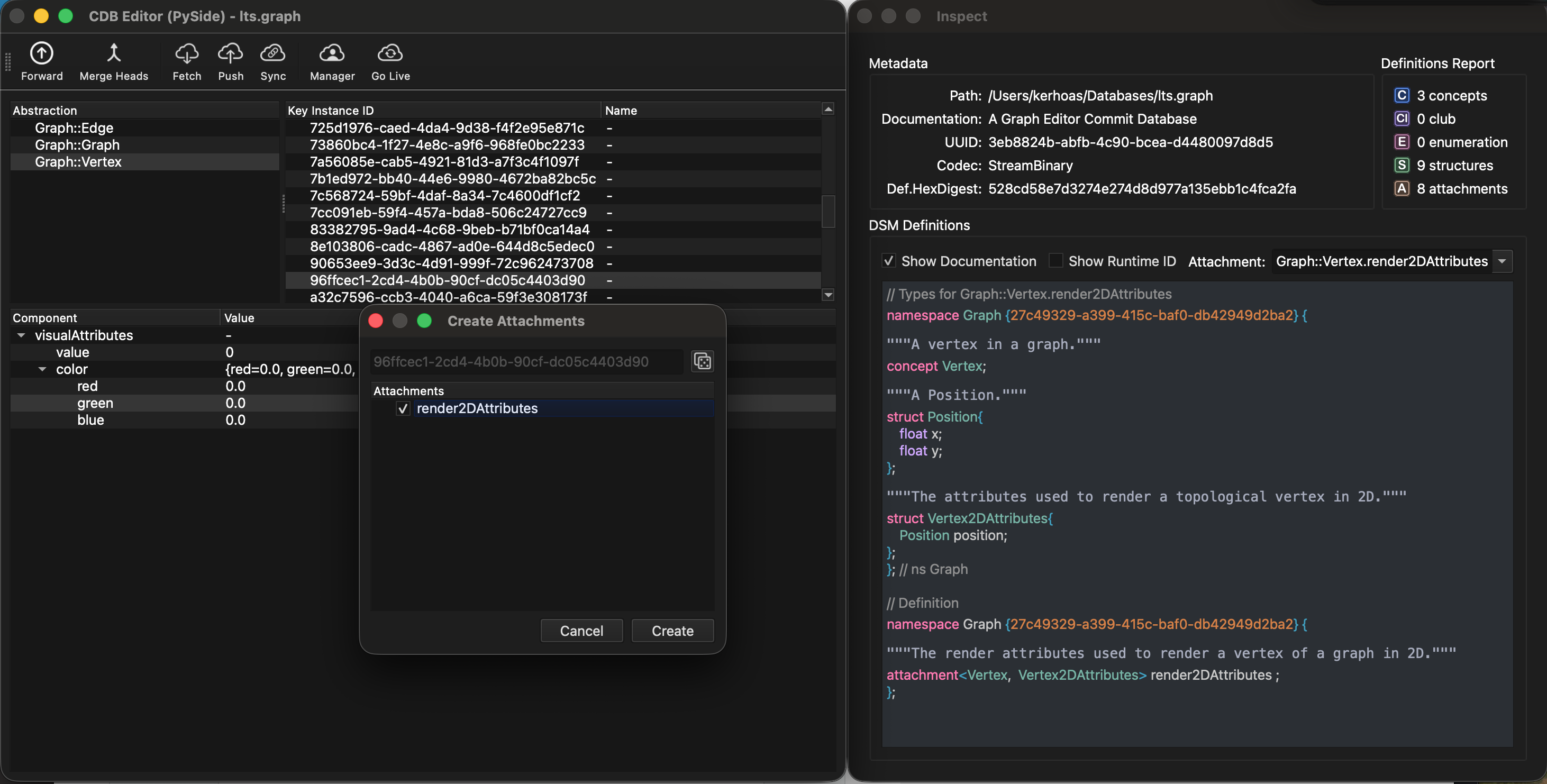
cdbe.py showing commit history, document browser, and database inspector.
Launch
python3 tools/cdbe.py                      # Open file dialog
python3 tools/cdbe.py project.cdb          # Open specific database
Panels
Access panels via keyboard shortcuts:
Panel |
Shortcut |
Description |
|---|---|---|
Commits |
|
Browse commit history (DAG visualization) |
Documents |
|
Browse documents by attachment |
Program |
|
View Program in selected commit |
Settings |
|
Configure synchronization source |
Undo |
|
Undo/redo stack visualization |
Sync Log |
|
Synchronization activity log |
Blobs |
|
Browse blob storage |
Actions |
|
Pending actions queue |
Synchronization
cdbe.py supports synchronizing with a remote CommitDatabase server.
Connection Settings:
TCP:
host:port(e.g.,server.local:54321)Unix socket:
/path/to/socket
Sync Operations:
Action |
Description |
|---|---|
Fetch |
Pull commits from remote server |
Push |
Push local commits to remote |
Sync |
Full sync (Fetch + Push) |
Live Mode:
Enable automatic synchronization at configurable intervals:
Live Mode: Auto-sync on timer
Manager Mode: Auto-reduce heads during live sync
Inspecting Commits
Open the Commits panel (
Cmd+1)Click a commit to select it
Open Commands panel (
Cmd+3) to see mutationsDouble-click a document to inspect its content
Undo/Redo
cdbe.py maintains an undo stack for local operations:
Undo:
Cmd+ZRedo:
Cmd+Shift+Z
View the undo stack in the Undo panel (Cmd+5).
dbe.py - Database Editor
A standard CRUD inspector for the plain Database backend (the
non-versioned key-value store, see
Database). No commits, no history, no DAG —
just open, browse documents, view blobs, and inspect definitions. Use
dbe.py when there is no versioning in play; reach for cdbe.py
whenever the file is a CommitDatabase.
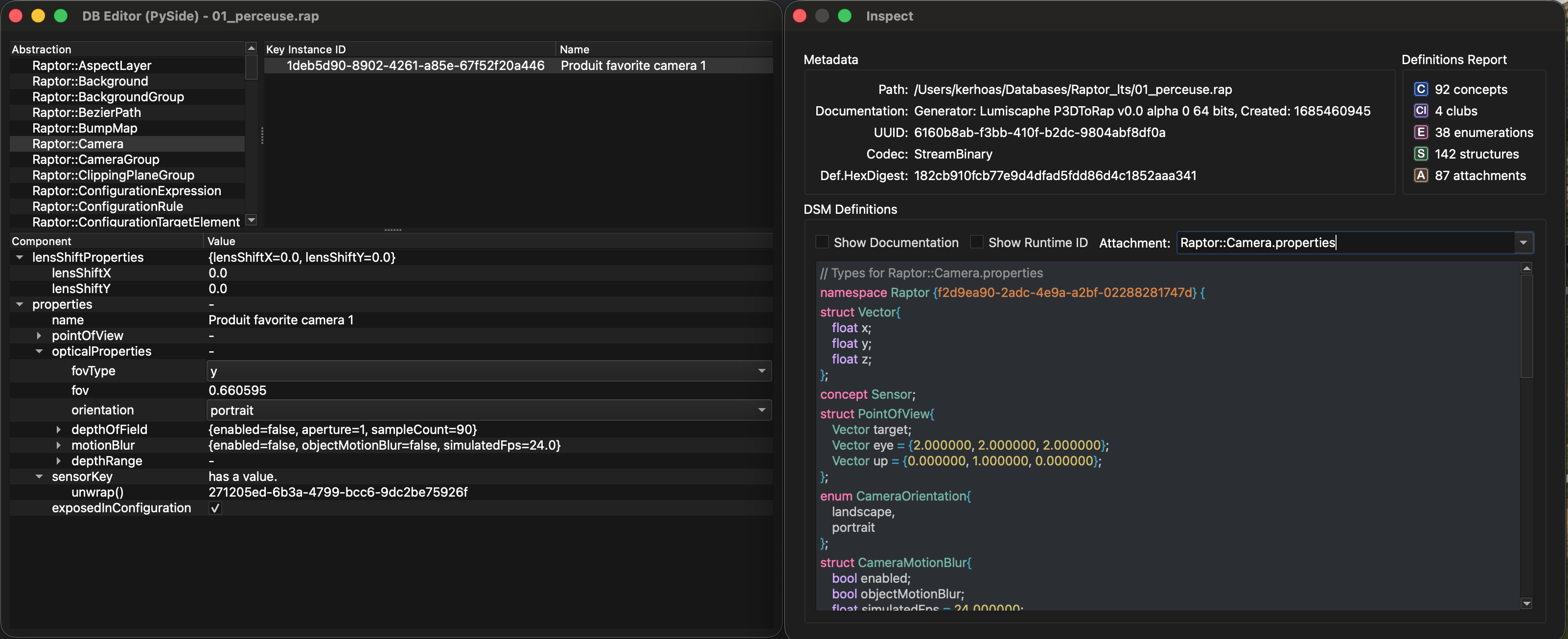
dbe.py showing document browser and database inspector.
Launch
python3 tools/dbe.py                       # Open file dialog
python3 tools/dbe.py project.vpr           # Open specific database
Features
Feature |
Description |
|---|---|
Document Browser |
Browse documents by attachment |
Blob Viewer |
Inspect binary blob content |
Database Inspector |
View UUID, codec, definitions |
Network Connection |
Connect to remote Database server |